Why an accessibility widget is not evidence of JAWS compatibility, what the Eyebobs settlement and FTC order actually establish, and how scoped native testing guides source-code remediation.
A website’s accessibility depends on whether people can complete its important journeys—not simply whether an accessibility icon appears in the corner. JAWS, short for Job Access With Speech, is Freedom Scientific’s commercial Windows screen reader. People who use it need meaningful headings, understandable controls, usable forms and predictable interaction throughout a website.
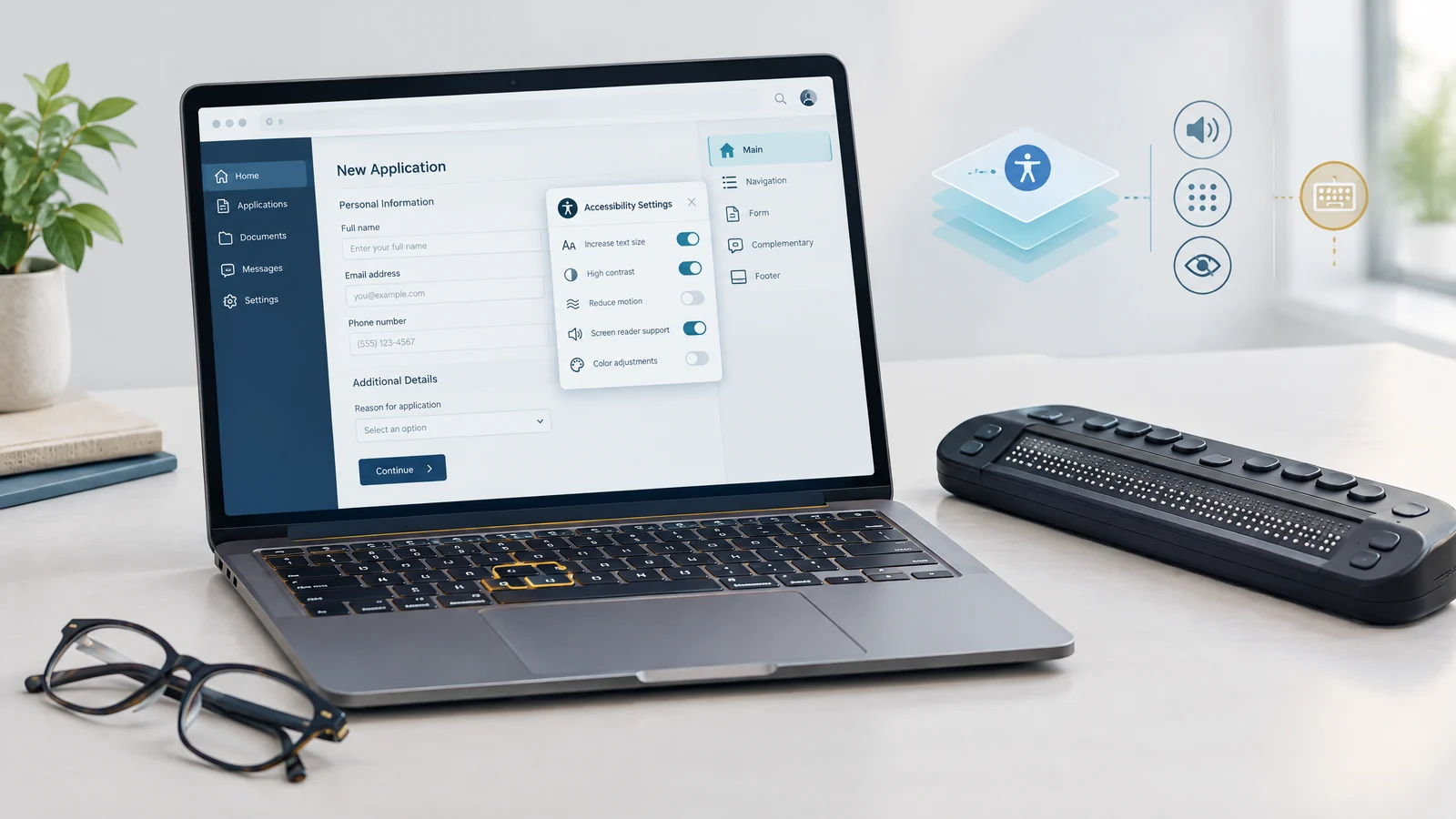
Accessibility overlays and widgets often offer adjustments such as larger text or alternate contrast. Those options may be useful to some visitors, but installing them is not proof that the underlying application works with JAWS. The practical question is whether the selected pages, components and transactions have actually been evaluated with the intended assistive technology and browser.
An overlay’s presence does not prove either accessibility or failure. Evaluate its actual effect alongside the website’s source code and complete user journeys. Automated results and marketing claims cannot replace evidence from native screen-reader testing.
How JAWS Reads and Interacts With a Website
JAWS uses its Virtual Cursor to read and navigate HTML pages. Users can move through headings, lists and links or open lists of those elements to understand the page. The browser’s programmatic accessibility information, native HTML semantics and appropriate Accessible Rich Internet Applications (ARIA) attributes help expose what a control is called, what it does and its current state.
Forms Mode allows interaction with controls that need ordinary typing or editing keys. It may activate automatically as focus reaches an edit field or other supported control, depending on navigation and settings. Properly associated labels, required states and understandable instructions remain important; the goal is not to force every visitor into a custom interaction model.
Dynamic JavaScript applications are not inherently inaccessible. Problems arise when a custom component lacks the right semantics or keyboard behavior, or when an asynchronous change is not communicated appropriately. Expanding a menu, opening a modal, showing an invalid field and completing a submission all require an intentional accessibility design. Adding ARIA without matching behavior can make a control more confusing rather than repair it.
Why Surface-Level Adjustments Are Not a Complete Remediation Plan
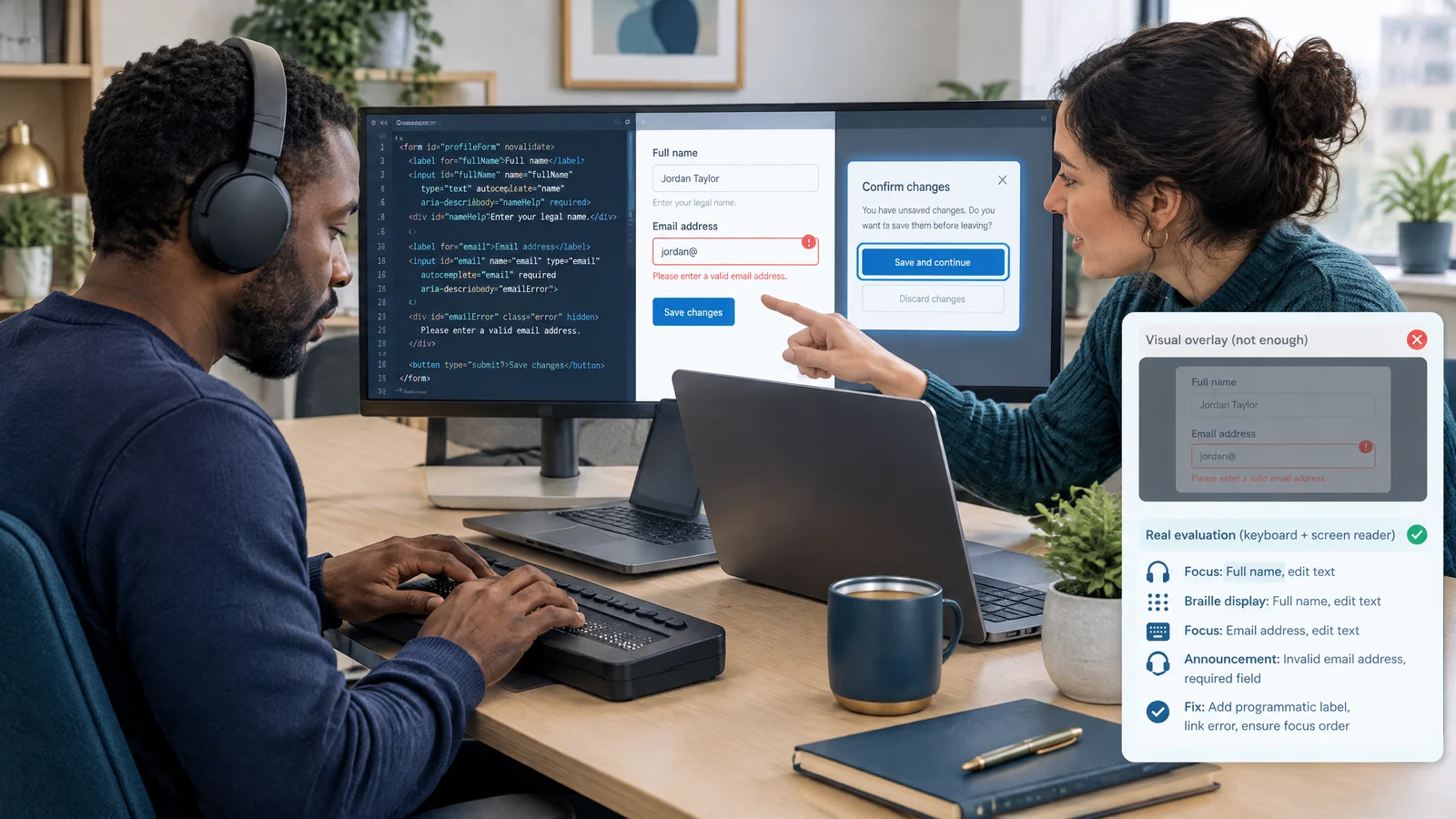
A script can change attributes or presentation after a page loads, but it does not automatically know the intended meaning of every image, the correct reading sequence or the business rules behind a multi-step form. Guessing a label is not the same as identifying the right label. Increasing contrast does not repair a keyboard trap. An alternate toolbar is not a substitute for an accessible purchase or inquiry flow.
Any third-party accessibility interface also needs its own evaluation. Its shortcuts, focus behavior and injected content may affect an existing JAWS setup. Do not assume a conflict exists in every product, but do not assume compatibility from installation alone. Record the actual Windows, browser, JAWS version and settings used, and compare the experience with the intended workflow.
For a defined review of those interactions, our JAWS Screen Reader Compatibility Services for Oregon businesses connect native testing with the source-level issues that developers need to investigate and repair.
Murphy v. Eyebobs: Allegations, Expert Analysis and Settlement
In Murphy v. Eyebobs, LLC, filed in the Western District of Pennsylvania, the plaintiff alleged that barriers remained on the eyewear retailer’s website despite its use of accessiBe. The complaint identified JAWS 2020 on a Windows computer and VoiceOver on an iPhone among the assistive technologies he used. These reported experiences are allegations in the filed record, not an independent finding that every overlay fails or a judgment deciding the ADA merits.
The alleged problems included a pop-up whose appearance was not properly conveyed through focus, a separate navigation trap associated with closing the accessibility interface, and product-review star ratings that lacked equivalent accessible information. The engineering lesson is concrete: a modal needs a meaningful name and appropriate entry/exit focus, while a rating needs an understandable text equivalent. Whether a particular live component has those defects still requires testing.
A filed report from accessibility expert Karl Groves described automated testing of 50 accessiBe customer websites, averaging 20 pages per site, and compared the results with his broader website-testing dataset. His historical conclusion was that the tested sites did not significantly differ from that comparison set. That is an attributed expert analysis—not a controlled before-and-after experiment proving every product ineffective, and not a court’s merits finding.
What the Eyebobs Agreement Actually Required
The case reached a court-approved class settlement, and Eyebobs denied liability. The filed agreement described an accessibility consultant, an internal coordination team, an accessibility strategy, audits, staff training and annual screen-reader end-user testing. These are ongoing governance and verification measures, not a one-line installation checklist.
The agreement did not mandate abandoning accessiBe or require a source-code-only approach. It included overlays within its definition of third-party content. It also provided for a $1,000 incentive award subject to court approval; that provision should not be confused with an award of ADA damages or treated as proof that payment occurred.
Its class release addressed defined nonmonetary accessibility claims and specified conduct through the agreement’s term and possible extensions, with enforcement procedures retained. It did not give the retailer immunity from every future lawsuit by every blind person. Settlement scope matters, and a business should ask qualified counsel to interpret its own obligations rather than extrapolate a blanket legal shield.
Readers can examine the filed Murphy v. Eyebobs settlement agreement (opens in a new tab). This public document is the filed proposed agreement, not the final approval order; distinguish its written terms from allegations and judicial findings.
The FTC Order Addresses Unsupported Compliance Claims
Separately, the Federal Trade Commission announced its final accessiBe consent order on April 22, 2025. The order requires a $1 million payment to the Commission for potential consumer redress and related relief. Calling that payment a $1 million civil fine would misdescribe the remedy.
The order restricts misleading or unsubstantiated claims that automated products can make any website WCAG-compliant or maintain compliance over time. Its restrictions depend on the evidence supporting a claim; it is not an unconditional ban on every accessibility product. AccessiBe neither admitted nor denied the complaint’s allegations, apart from jurisdictional facts. The takeaway is to require credible substantiation and documented results, not to substitute a vendor promise for verification.
A Practical JAWS Testing and Remediation Workflow
Source-code remediation gives teams a maintainable place to correct semantic and interaction defects. It works best with a scoped test plan, native assistive-technology evaluation and regression checks—not a promise that one method guarantees complete accessibility or legal protection. Start with the tasks that matter to customers, including browsing services, finding contact details, requesting estimates and completing checkout.
Build evidence around the actual journey:
- Define the pages, components, third-party boundaries and user journeys in scope. Record Windows, Chrome or Edge, JAWS version and relevant settings.
- Review native HTML, headings, landmarks, lists, image alternatives, control names and ARIA states. Prefer semantic controls over unnecessary custom roles.
- Use the keyboard and JAWS together to evaluate Virtual Cursor navigation, Forms Mode, menu expansion, modal entry/exit and meaningful reading order.
- Exercise labels, required fields, repeated validation errors, delayed sending, API rejection and success messages in a safe intercepted test environment.
- Correct the observed code-level barriers, then retest the original journey and nearby interactions. Record unresolved third-party limitations instead of hiding them.
Teams seeking JAWS Accessibility Remediation Solutions in Las Vegas can use that same scoped approach to connect observed barriers with a developer-ready repair and retesting plan. Two businesses may need different scopes; neither an overlay nor an audit automatically grants legal immunity.
This article provides general educational information, not legal advice. Allegations, expert reports, settlements and regulatory orders have different evidentiary roles. Native JAWS, NVDA and Apple VoiceOver results require real testing on the named platforms; no audit, widget or remediation program guarantees immunity from litigation.
Find the barriers that matter in your website’s important customer journeys. Ask about a scoped manual audit, native screen-reader evaluation and source-code remediation plan.
Request an audit today.- JAWS
- Accessibility Overlays
- ADA Title III
- Screen Reader Testing
- Oregon
- Las Vegas
Randy is the founder of Optimize Media Marketing and has 15+ years of digital marketing experience helping Oregon home service contractors dominate local search.